Extract slides from video,
into searchable PDFs
Set your time range, crop to the slide area, and export searchable PDFs with OCR.
All 100% free and offline on your Mac.

Manual Screenshots
30 min
Pause, screenshot, crop, repeat...
Slide Catcher Pro
30 sec
Drop, extract, export. Done.
From video to PDF in 4 simple steps
Step 01
Load
Drop a video file (MP4, MOV, M4V)
Step 02
Focus
Set time range and crop area
Step 03
Extract
Automatically detect unique frames
Step 04
Export
Generate a searchable PDF with OCR in one click
Powerful Features
Everything you need, all in one app
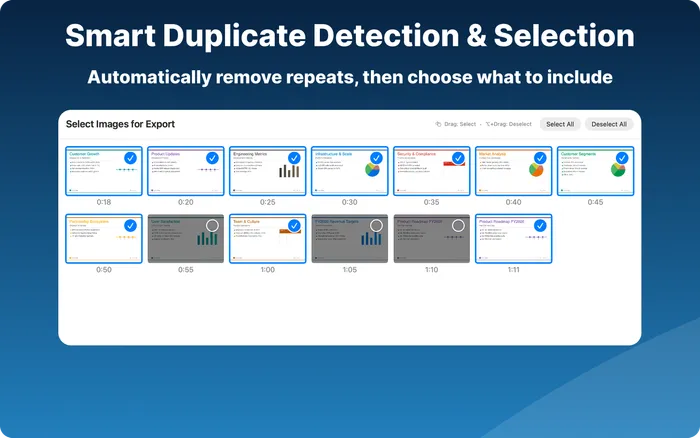
Smart Duplicate Detection
Automatically detects and removes redundant frames. Adjust sensitivity to find the right balance for your content.
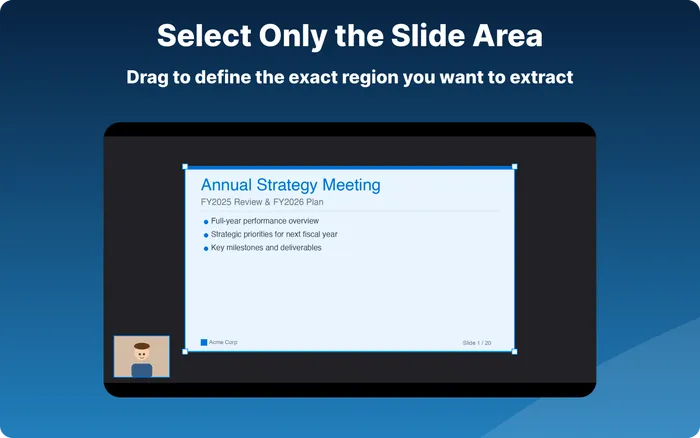
ROI Selection
Drag to define the exact region you want to extract.
Searchable PDF with OCR
OCR embeds text into exported PDFs, making slide content searchable. All processing happens locally on your Mac.
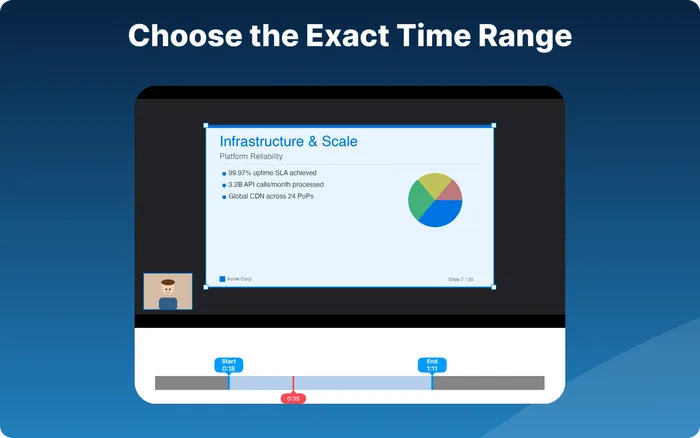
Time Range Selection
Focus on the sections that matter. Use the timeline bar to set start and end points.
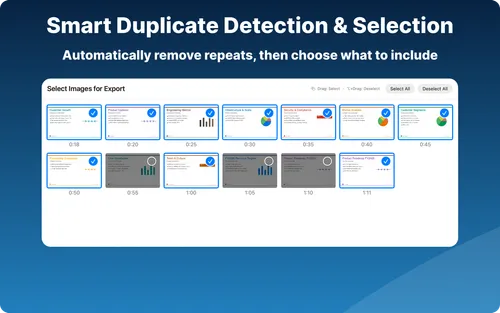
Frame Review & Selection
Review all extracted frames. Deselect any you don't need before exporting.
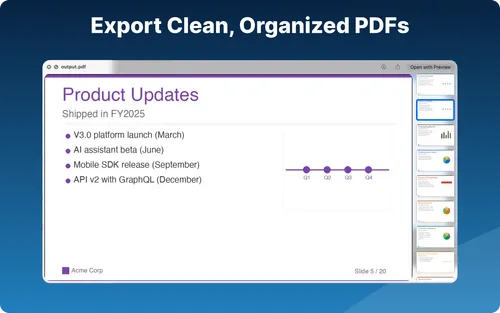
Multiple PDF Layouts
Choose from image-size, fit-to-page, or preset page sizes (16:9, 4:3, Letter, A4, B4).
Your Data Stays Yours
Private by design
100% Local Processing
All video processing happens entirely on your Mac. No data is uploaded to any server, ever.
No Account Required
Start using Slide Catcher Pro immediately. No sign-up required.
Apple-Reviewed Security
Distributed through the Mac App Store with App Sandbox enabled. Your files stay protected.
Use Cases
Perfect for your workflow
Presentations
Turn your Zoom or Teams meeting recordings into clean PDF handouts. Set the time range to skip intros, crop to the slide area to remove webcam overlays, and export.
Training & Tutorials
Create reference materials from your Loom tutorials or OBS screen captures. Adjust detection sensitivity to capture key steps, and re-extract as many times as needed.
Screen Recordings
Organize key frames from your QuickTime or screen recordings. Use ROI selection to focus on the content area and exclude toolbars or sidebars.
Pricing
All features free
Completely free. Just download and start extracting.
- All features included
- Unlimited exports
- OCR searchable PDFs
FAQ
Frequently asked questions
How does Slide Catcher Pro work?
Load a video file (MP4, MOV, or M4V), set your preferred time range and crop area, and click Extract. Slide Catcher Pro automatically detects unique frames, removes duplicates, and lets you export them as a searchable PDF with OCR.
Is Slide Catcher Pro really free?
Yes — all features are completely free. Just download from the Mac App Store and start using it.
What video formats are supported?
MP4, MOV, and M4V. Ideal for screen recordings and presentation captures.
Can I search text in exported PDFs?
Yes. Slide Catcher Pro uses OCR (Optical Character Recognition) to embed a text layer into exported PDFs. This makes slide content searchable within the exported PDF. All OCR processing happens locally on your Mac.
Is my data safe?
All processing happens locally on your Mac — including OCR. No data is sent to any server. No account or sign-up required. The app runs in Apple's App Sandbox for additional security.
Does it require an internet connection?
No. All processing, including frame extraction, OCR, and PDF export, happens entirely offline on your Mac.
Can I choose which frames to include?
Yes. After extraction, you can review all frames in a grid view and deselect any you don't want before generating the PDF.
How is Slide Catcher Pro different from cloud-based slide extractors?
Most video-to-slides tools are cloud-based and require uploading your video to external servers, often with file size limits (100 MB–2 GB), duration limits, and credit-based pricing that charges per extraction. Slide Catcher Pro runs entirely on your Mac — no uploads, no file size limits, no duration limits, and completely free. You also get features no cloud tool offers: time range selection, ROI cropping, adjustable duplicate detection, and OCR for searchable PDFs, all with unlimited retries.
Can I extract slides from just a portion of a video?
Yes. Use the timeline bar to set a precise start and end point before extracting. This is a feature unique to Slide Catcher Pro — other video-to-slides tools require you to process the entire video or trim it in a separate tool first.
What if the extraction includes too many or too few frames?
You can adjust the duplicate detection sensitivity across four levels and further fine-tune extraction settings for precise control. Since everything processes locally and the app is free, you can re-extract as many times as you like. You can also use ROI selection to crop out non-slide areas like webcam overlays or UI elements.
Are there file size or video length limits?
No. Since all processing happens locally on your Mac, there are no upload size limits and no video duration limits. The only constraint is your Mac's available storage and memory.
Can I use it with videos from online courses or streaming services?
Slide Catcher Pro is designed for videos you own or have permission to use. It processes local files only (MP4, MOV, M4V) and does not bypass DRM or any access restrictions.
Does it support Windows or Linux?
No. Slide Catcher Pro is a native macOS application that requires macOS 14.0 (Sonoma) or later. There is currently no Windows or Linux version.
Get your time back
No more taking screenshots one by one.
Let Slide Catcher Pro do the work.
All features free — download and start using now.
Download for macOSNot sure if Slide Catcher Pro is right for you?